
Upper-limb training · Configuration review
Upper-Limb Training Table With Software: Buyer Questions
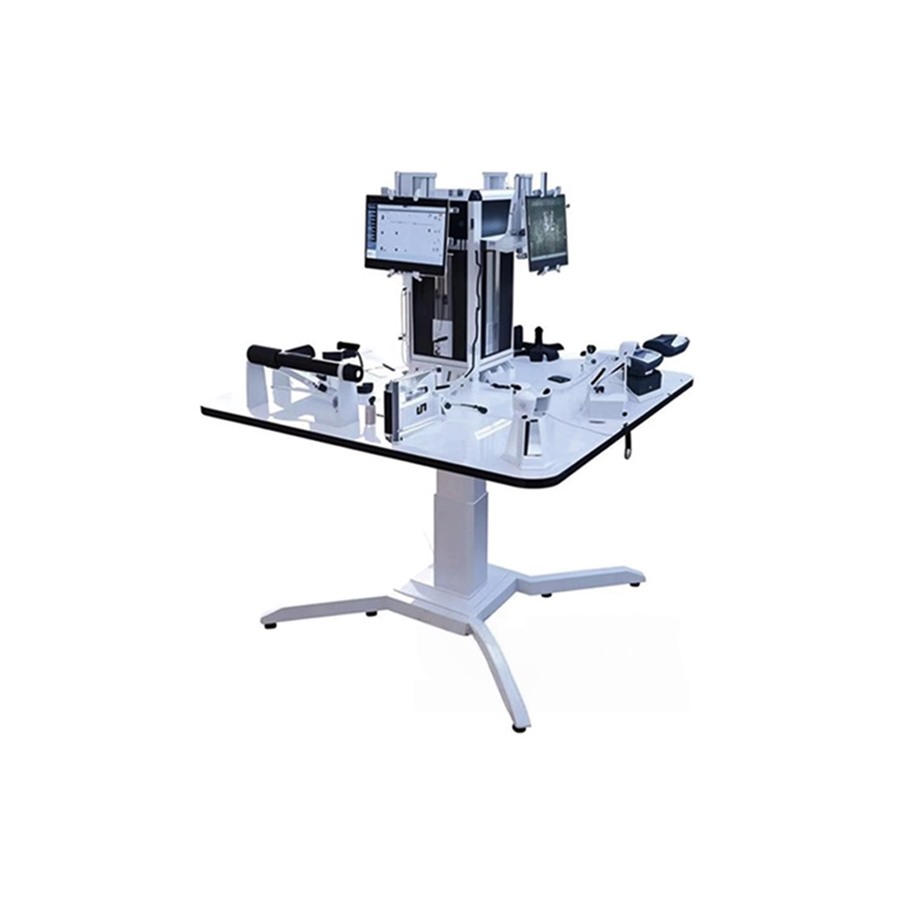
A software-supported upper-limb table should be purchased as a defined hardware-and-software configuration, not simply as a product with a software label.
Published and reviewed:
Quick answer
Ask the supplier to distinguish hardware, software functions, language, licence term, updates, system requirements, electrical details, and documents in the quotation.
Separate the quoted scope
The current KF-SGZ product information says that exact hardware and software scope must be verified by quotation. Request separate lines for hardware, software, licence, language, setup, and any system components.
Match it to the room
State the intended occupational-therapy or upper-limb setting, activities, users, access, storage, and electrical conditions. Do not assume that a function is available without current confirmation.
Make future support visible
Ask which version is quoted, how updates are handled, whether the licence has a term, and which documents accompany the exact model.
What to confirm before purchase
- Hardware configuration and included accessories
- Software function, language, licence, updates, and system requirements
- Electrical, access, installation, documents, and destination requirements
Buyer FAQ
Can this guide replace an exact product specification?
No. Confirm the selected model, included accessories, dimensions, electrical details, packing, documents, and destination requirements in writing.
What should be in a quotation request?
State the intended setting, quantity, destination country, required configuration, delivery access, electrical needs, and requested documents.
Definition
An upper-limb training table with software combines a physical working surface with a digital workflow. Buyers should evaluate table configuration, controls, software scope, user access, data handling, room setup, and staff training together.
Numeric facts to include in the enquiry
- State 1 planned training workflow and user group.
- Request 1 exact table model, software package, dimensions, and safe working load.
- Confirm 3 commercial details: included functions, installation, and training scope.
Buying steps
- Define the physical activities and digital functions required.
- Ask what is included in the software licence, updates, hardware, and support.
- Check room, network, power, cleaning, and user access requirements.
- Compare equivalent configurations and written service terms.
Buyer FAQ
Does software alone improve a training programme?
No. It must fit the clinic workflow, staff process, equipment, and user needs.
What should be clarified before purchase?
Hardware, software scope, updates, data handling, installation, training, and support.