
Configuration evidence
How to Review a Therapy Table Section Diagram
Review a therapy table section diagram by mapping each numbered surface to its movement, control method and supporting document. Three, six or nine sections do not prove that every section moves independently or that the quote includes a particular mechanism.
Prepared by RehabIntl from current catalog information: . Exact order scope remains subject to written confirmation.
Quick answer
Review a therapy table section diagram by mapping each numbered surface to its movement, control method and supporting document. Three, six or nine sections do not prove that every section moves independently or that the quote includes a particular mechanism.
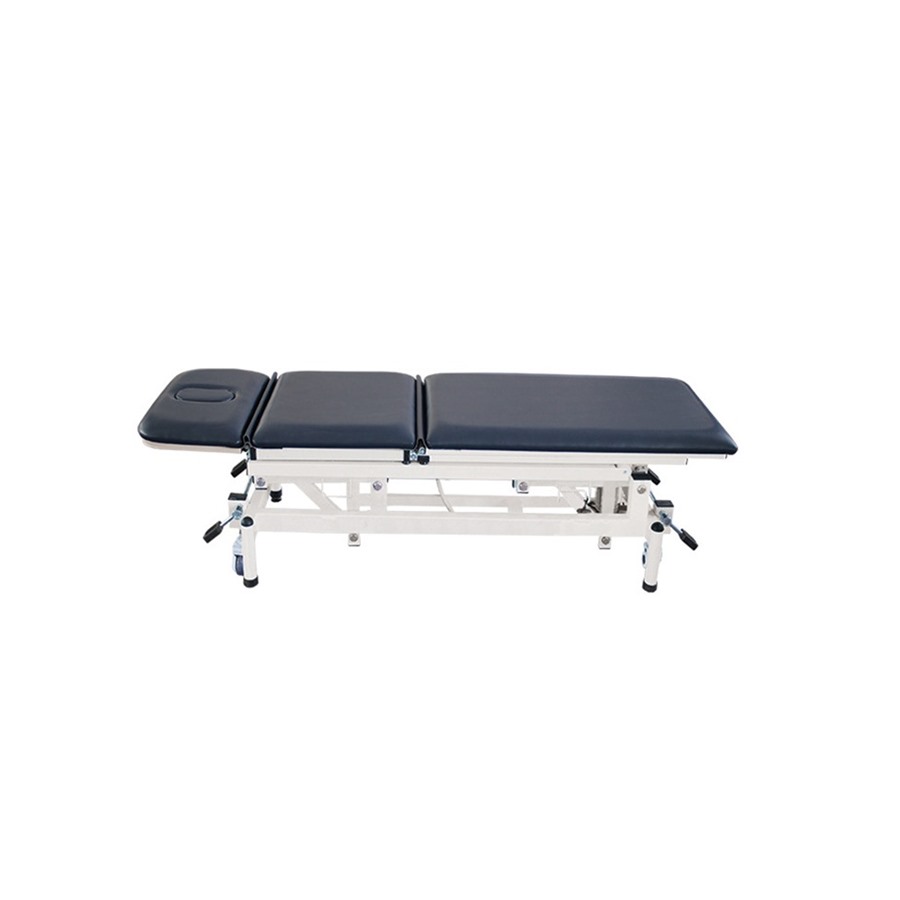
What does the current catalog establish?
RehabIntl lists KF-XLC-D/DW-3, DW-6 and DW-9 as three-, six- and nine-section multi-position massage tables. The product pages request confirmation of section layout, movement, controls, complete dimensions and rated load. Those requests are not proof of any particular angle range or drive system.
This article addresses document review after shortlisting, not which section count to buy. The goal is to connect a quotation line to a clear diagram and to identify missing evidence before order approval. The responsible clinical team still decides whether the confirmed configuration suits its workflow.
Ask for a diagram that can be traced to the quote
Request the exact model, configuration identifier, drawing date and revision on the diagram. Ask the supplier to number each surface and identify the orientation of the table. A drawing for a different version should not be accepted just because the product name looks similar.
Ask how the supplier counts sections. A divided surface, cushion or removable accessory should not be assumed to be an independently adjustable section. Likewise, overall table height adjustment is separate from movement of a treatment-surface section.
A demonstration can clarify movement, but it should identify the same quoted version. A generic promotional video cannot establish that its controls or accessories are included in your order.
Use this section-by-section review worksheet
Repeat the row below for every numbered section shown on the supplier drawing. Leave unconfirmed fields blank rather than inferring them from a photograph. This is a proposed procurement worksheet, not a manufacturer's specification.
| Field for each section | Supplier response | Evidence / open question |
|---|---|---|
| Diagram number and supplier section name | _____ | _____ |
| Fixed or moving; independent or linked | _____ | _____ |
| Direction and range, including units and reference position | _____ | _____ |
| Adjustment mechanism and control location | _____ | _____ |
| Locking or securing procedure | _____ | _____ |
| Restrictions stated in the manual | _____ | _____ |
| Quoted as included or optional | _____ | _____ |
| Drawing / manual / demonstration reference | _____ | _____ |
| Reviewer, clarification and status | _____ | _____ |
“Adjustable” without a stated range, method and reference is still a clarification item. Do not populate one model's row with another model's values.
Check dependencies outside the section diagram
Section movement may change the operating envelope, access or control location. Request the complete dimensions with units, working-height range and movement envelope for the quoted version. The DW catalog size entries are incomplete; they should not be converted into verified dimensional drawings.
Review the manufacturer's stated load limits and any restrictions on positioning or accessory use. Do not invent per-section load ratings or assume an overall rating authorizes every position. Obtain the applicable manual and have the facility review suitability.
Ask the supplier to distinguish upholstery, face opening, supports, controls and other accessories from the core table configuration. Confirm the drive system before requesting its applicable power details; do not assume that all three versions use the same mechanism.
How should discrepancies be closed?
When a drawing shows an item that the quotation does not name, request a written included-or-optional decision. When two drawings conflict, request the governing revision. Keep a clarification register with the quotation line, diagram number, question, supplier response and approval status.
Before placing the order, make the accepted drawing revision part of the agreed configuration record. At delivery, check identity and included scope against that record using the supplier's setup instructions. This is not a clinical performance test or a substitute for trained installation.
What to confirm before purchase
- Exact DW-3, DW-6 or DW-9 version, quantity and destination
- Numbered section diagram with date and revision tied to the quotation
- Confirmed movement, control and locking information for each section
- Complete dimensions, load limits, accessories and applicable power details
- Packing, assembly, manuals, model-level documents and unresolved clarifications
Send the relevant worksheet and your unresolved fields with a quotation request. Ask for written confirmation for the exact model and destination market.
Buyer FAQ
Does a nine-section diagram prove nine independent adjustments?
No. Request the supplier's definition and movement mapping for every section. Some surfaces may be fixed or linked; the exact version must be confirmed.
Can I compare angle values without a reference position?
Not reliably. Ask for the units, direction and reference position used in the drawing or manual before comparing values.
Is a diagram enough for purchase approval?
No. It should agree with the quotation, configuration list and applicable manual. Resolve dimensions, limits, controls, accessories and delivery responsibilities as well.